Free GDPR-Compliant Cookie Consent for Webflow — No Third-Party Tools
- webflow
- gdpr
- javascript
- cookie-consent
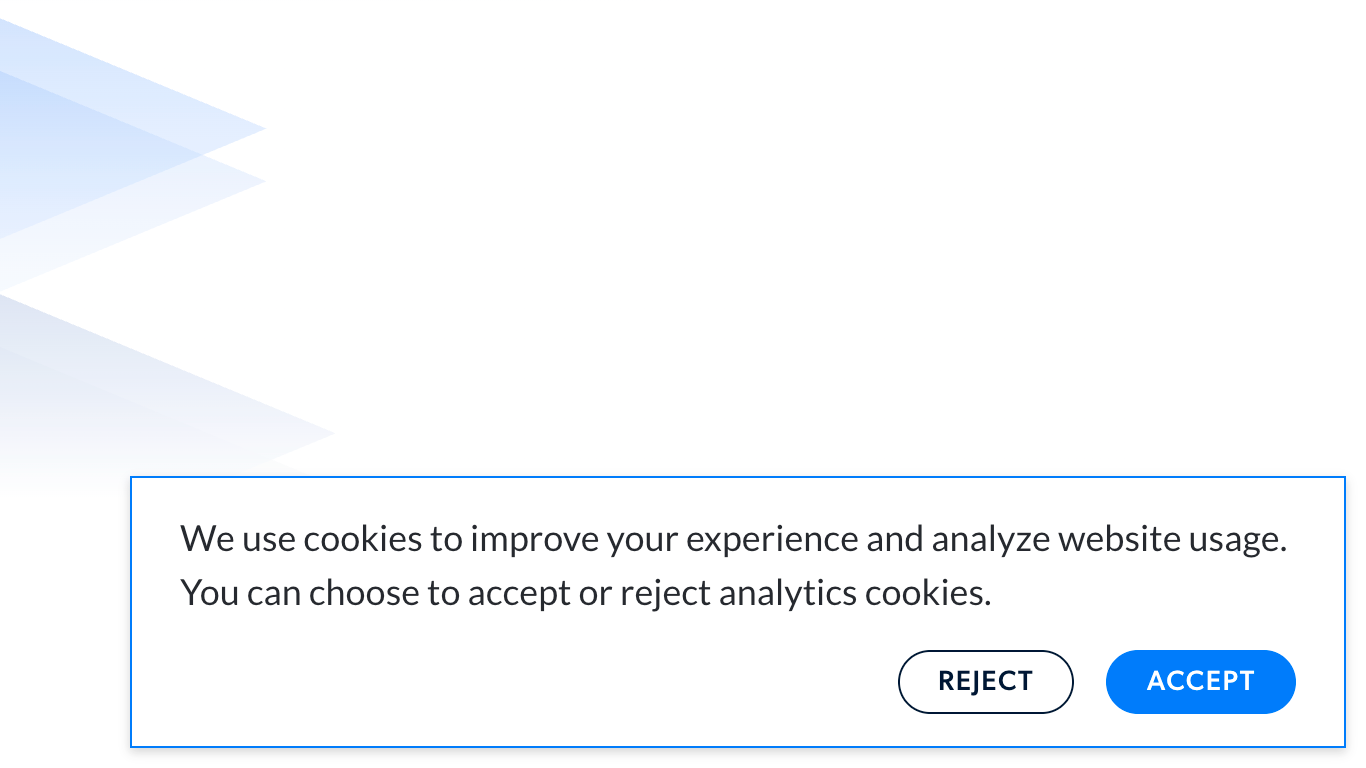
If you’ve ever needed to add a cookie consent modal to a Webflow project, you’ve probably run into the same wall: every solution out there is either a third-party tool, a paid plugin, or a clunky workaround that doesn’t feel native to your project.
I’ve been building Webflow sites at Fri3nds Agency for years, and this kept bothering me. So I built a lightweight, free solution that lets you design your cookie modal entirely in Webflow (the way you’re used to) and handles all the consent logic through a single script.
How it works
The idea is simple: you design your modal in Webflow however you want, assign a few IDs to your elements, and drop the script into your project’s custom code (body). No external dependencies, no monthly fees.
The script handles everything else: storing consent in a cookie (not localStorage, which is the more compliant approach), respecting a 180-day expiration window, showing the modal only when needed, and making sure your tracking scripts only fire after the user explicitly accepts.
There’s also a built-in way to let users reopen the consent modal later, which is a GDPR requirement many implementations forget about.
Setup
You only need four IDs in your Webflow project:
| ID | Description |
|---|---|
cookie-consent |
Your modal wrapper |
cookie-accept |
The accept button |
cookie-reject |
The reject button |
open-cookie-settings |
Any button or link that should reopen the modal |
Then paste your tracking snippets (GTM, Clarity, Amplitude, Hotjar, whatever you use) inside the loadTrackingScripts() function. They’ll only run if the user consents.
The script
<script>
   const CONSENT_KEY = "cookieConsent";
   const CONSENT_DURATION_DAYS = 180;
   const DEBUG = false;
   const log = (...args) => DEBUG && console.log(...args);

   // ─── Cookie Helpers ───────────────────────────────────────────────────────

   function setCookie(name, value, days) {
      const expires = new Date();
      expires.setDate(expires.getDate() + days);
      document.cookie = `${name}=${encodeURIComponent(value)}; expires=${expires.toUTCString()}; path=/; SameSite=Lax`;
   }

   function getCookie(name) {
      const match = document.cookie
         .split("; ")
         .find((row) => row.startsWith(name + "="));
      return match ? decodeURIComponent(match.split("=")[1]) : null;
   }

   // ─── Consent Logic ────────────────────────────────────────────────────────

   function getConsent() {
      const saved = getCookie(CONSENT_KEY);
      if (!saved) return null;
      try {
         return JSON.parse(saved);
      } catch {
         log("Error parsing consent cookie");
         return null;
      }
   }

   function isExpired(dateString) {
      const diffDays =
         (new Date() - new Date(dateString)) / (1000 * 60 * 60 * 24);
      return diffDays > CONSENT_DURATION_DAYS;
   }

   function handleConsent(accepted) {
      log("User selected:", accepted ? "ACCEPT" : "REJECT");

      const previous = getConsent();
      const previousAccepted = previous ? previous.accepted : null;

      setCookie(
         CONSENT_KEY,
         JSON.stringify({ accepted, date: new Date().toISOString() }),
         CONSENT_DURATION_DAYS,
      );

      const modal = document.getElementById("cookie-consent");
      if (modal) modal.style.display = "none";

      if (accepted) {
         loadTrackingScripts();
      } else {
         if (previousAccepted === true) {
            // The user withdrew consent — reload to stop any scripts already running
            setTimeout(() => location.reload(), 100);
         }
         log("Tracking scripts will NOT be loaded.");
      }
   }

   function bindConsentButtons() {
      const acceptBtn = document.getElementById("cookie-accept");
      const rejectBtn = document.getElementById("cookie-reject");

      if (acceptBtn) acceptBtn.onclick = () => handleConsent(true);
      if (rejectBtn) rejectBtn.onclick = () => handleConsent(false);
   }

   // ─── Tracking Scripts ─────────────────────────────────────────────────────
   // Paste your tracking snippets inside this function.
   // You can add as many as you need (GTM, Clarity, Amplitude, Hotjar, etc.)
   // These will only run if the user has accepted cookies.

   function loadTrackingScripts() {
      log("Loading tracking scripts...");

      // ↓ Paste your snippets here ↓

      // ↑ End of tracking scripts ↑
   }

   // ─── Init ─────────────────────────────────────────────────────────────────

   document.addEventListener("DOMContentLoaded", () => {
      const modal = document.getElementById("cookie-consent");
      const consent = getConsent();

      // Allows the user to reopen the cookie modal from anywhere on the site.
      // Add the id "open-cookie-settings" to any button or link.
      const settingsBtn = document.getElementById("open-cookie-settings");
      if (settingsBtn) {
         settingsBtn.addEventListener("click", (e) => {
            e.preventDefault();
            if (modal) modal.style.display = "block";
            bindConsentButtons();
         });
      }

      if (consent && !isExpired(consent.date)) {
         if (consent.accepted) loadTrackingScripts();
         if (modal) modal.style.display = "none";
      } else {
         // No valid consent found — show the modal
         if (modal) modal.style.display = "block";
         bindConsentButtons();
      }
   });
</script>
A few things worth knowing
The script uses cookies instead of localStorage to store consent. This is intentional — cookies have native expiration handling at the browser level, which is the more accepted approach in compliance contexts.
If a user who previously accepted decides to withdraw consent, the page reloads automatically to stop any tracking scripts that were already running. The reverse (going from reject to accept) just loads the scripts on the spot without a reload, since nothing was running anyway.
And if you want to debug locally, just flip DEBUG to true at the top of the script and you’ll get console logs for every step of the flow.
That’s it. No setup wizards, no cookie banners SDK, no npm install. Just paste, assign your IDs, and you’re done.